X image sizes and dimensions: header, profile and post images
The short answer
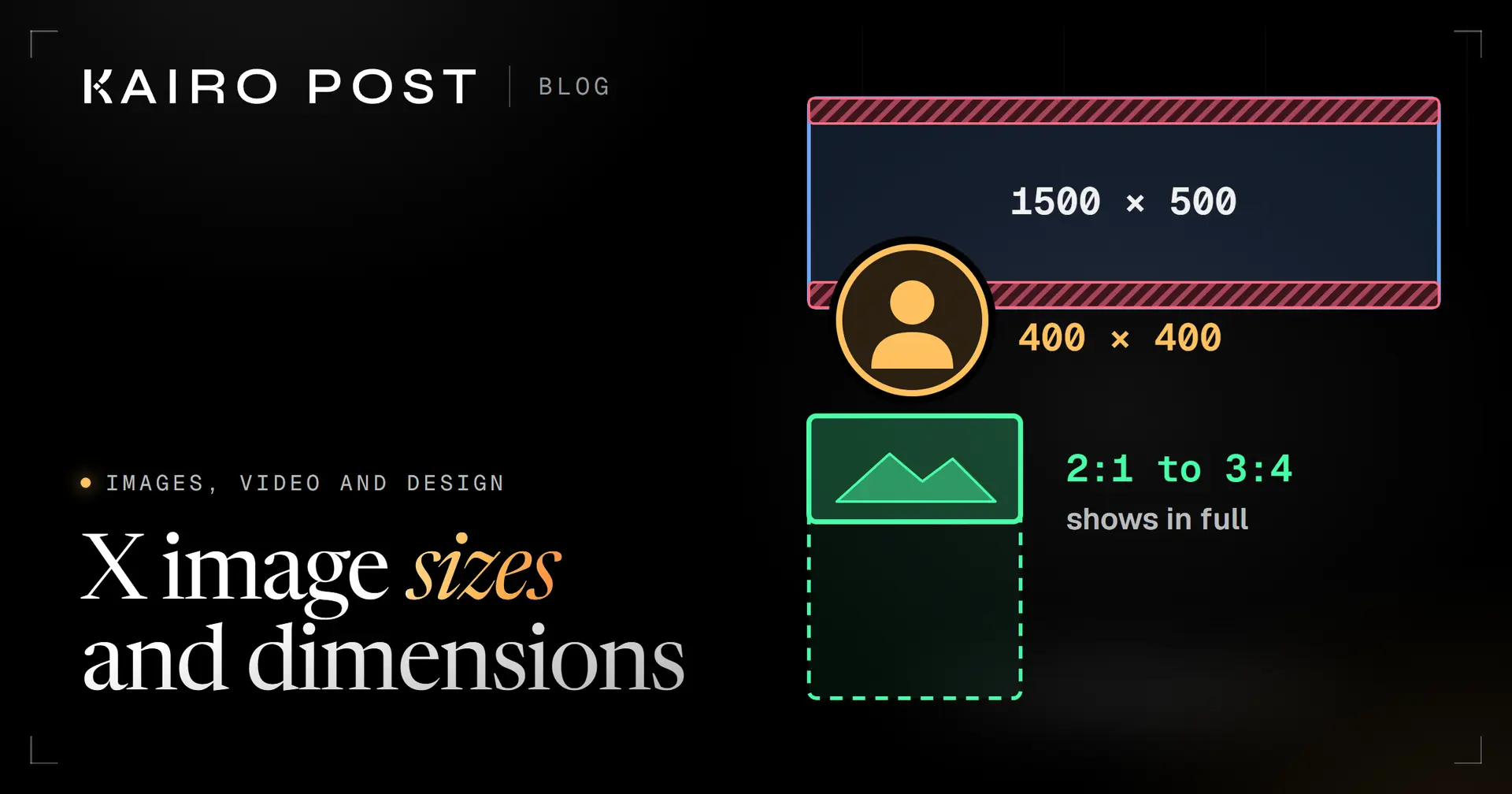
X recommends 1500 by 500 pixels for the header and 400 by 400 for the profile photo. For post images X sets no pixel size: a single photo shows in full when its shape is between 2:1 and 3:4, and each photo can be up to 5 MB.
Key takeaways
- Header: 1500 by 500 pixels. Keep words in the middle 380 pixels, because X says 60 pixels at the top and bottom could be cropped.
- Profile photo: 400 by 400 pixels, JPEG, GIF or PNG, under 2 MB. Keep the face in the middle.
- Post photos have no required pixel size. A single photo with a shape between 2:1 and 3:4 shows in full.
- A post holds up to 4 photos, or 1 animated GIF, or 1 video. Photos can be up to 5 MB each.
- Add an image description of up to 1,000 characters, and repeat any text that sits inside the image.
You are about to upload a new header and you want the number before you open a design tool. The X image size for a header is 1500 by 500 pixels. For a profile photo it is 400 by 400. Post images work differently: X sets no pixel size for them, only a range of shapes that show in full.
This guide gives every size, ratio, file limit and format in one place, with the date we checked each one. Where X is silent we say so instead of guessing, because a design built on a guess is the one that gets cropped.
X image sizes at a glance
Four numbers cover most of what you will upload. Each one comes from X's Help Center or its developer documentation, and we checked them on 1 October 2026. Right size but still soft? See why X images look blurry.
1500 × 500
Header, in pixels
X Help Center, recommended size
400 × 400
Profile photo, in pixels
X Help Center, recommended size
5 MB
Largest photo in a post
X Help Center and X API documentation
4
Photos in one post
X API documentation
The table adds the shape, the file limit and the format for each kind of image. "Recommended" means X suggests the size and does not enforce it.
| Image | Size | Shape | File limit | Format |
|---|---|---|---|---|
| Header | 1500 × 500 (recommended) | 3:1 | None found | JPG, GIF or PNG, not animated |
| Profile photo | 400 × 400 (recommended) | 1:1 | Under 2 MB | JPEG, GIF or PNG, not animated |
| Photo in a post | No required size | 2:1 to 3:4 shows in full | 5 MB | GIF, JPEG or PNG in the app |
| Animated GIF in a post | No required size in the app | Any | 5 MB on mobile, 15 MB on web | GIF |
| Image description | Not applicable | Not applicable | 1,000 characters | Text |
What size is the X header image
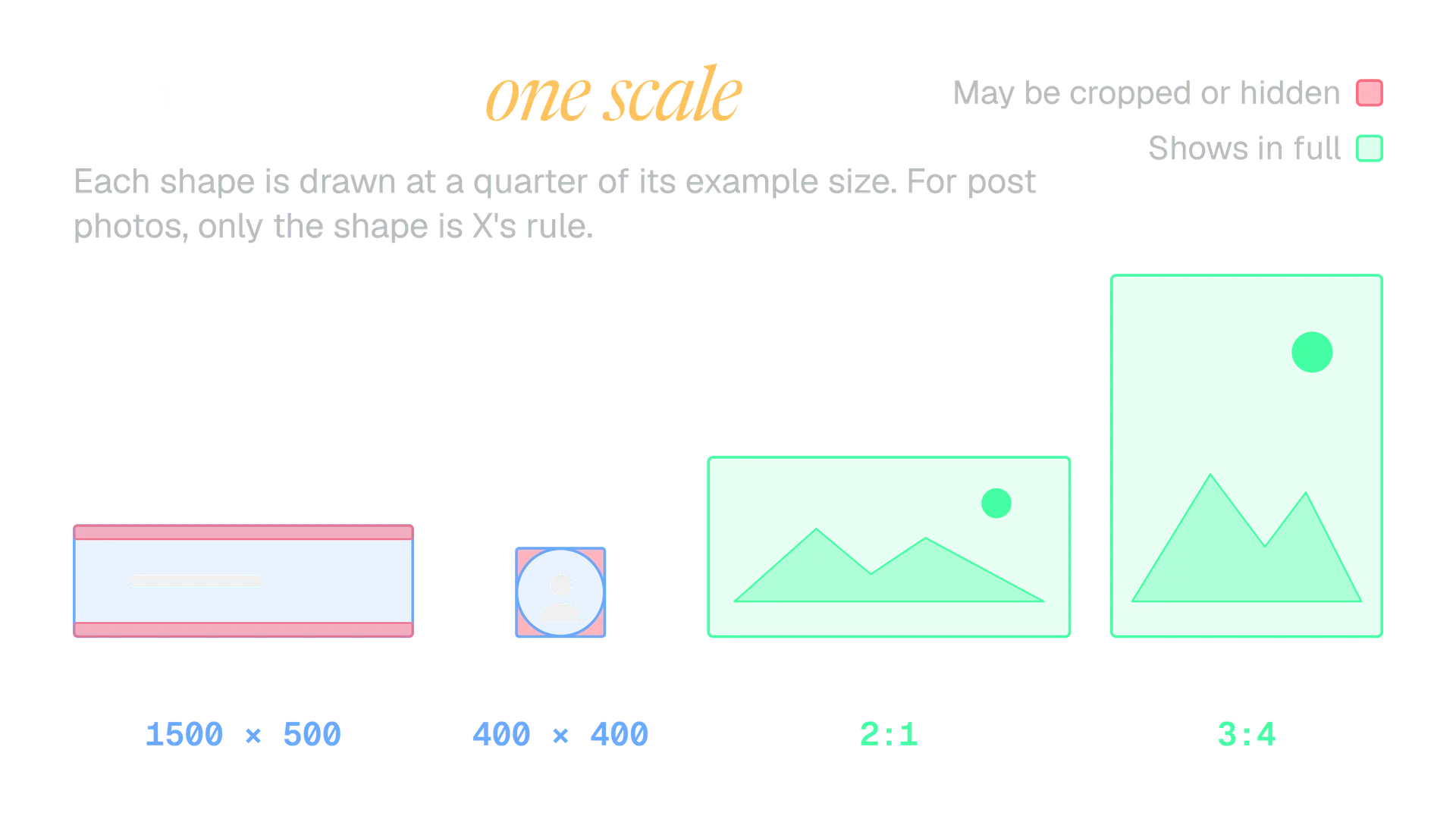
The X header is 1500 by 500 pixels, a 3:1 shape: three times as wide as it is tall. X also calls it the banner. You add it from Edit profile, with the camera icon and Upload photo. For the profile photo itself, see how to choose a profile picture people recognise.
The catch is that X does not always show the whole header. If a header at the recommended size looks cropped, X's Help Center says 60 pixels at the top and bottom could be cropped, depending on the monitor and the browser.
That leaves a safe band of 1500 by 380 pixels in the middle. Work in two layers:
- Background. Colour, texture and photography can run to every edge.
- Content. Names, taglines, logos and faces stay inside the middle band, with a little room to spare.
The maths of the safe band
The header is 500 pixels tall. X says up to 60 pixels at the top and 60 at the bottom could be cropped, so 500 minus 60 minus 60 leaves 380 pixels that are always shown.
A line of text that must always be seen therefore has its top edge at 60 pixels or lower and its bottom edge at 440 pixels or higher, measured from the top of the 500 pixel header.
Here is the difference in practice.
Tagline inside the safe band
The tagline sits 180 pixels from the top. Only background reaches the top and bottom edges. It reads the same on every screen.
Tagline near the edge
The tagline sits 30 pixels from the top. On a screen that crops the full 60 pixels, the top of the letters is gone.
The pages we saw give no file size limit for headers. We keep header files under the 2 MB that applies to profile photos, as a cautious habit and not as a rule from X.
What size is the X profile photo
The profile photo is 400 by 400 pixels, a 1:1 square. X says to use a JPEG, GIF or PNG file under 2 MB. As with the header, the size is a recommendation. For moving images, see how to make a GIF for X.
You upload a square, but people see it as a circle. A circle drawn inside a square covers about 79 per cent of it, so roughly a fifth of your picture, the four corners, is never seen. So:
- Centre the face or the logo. Leave a margin of about 40 pixels inside the circle's edge.
- Keep words out of the corners. They are the part that disappears.
- Use a still image. X does not support animated GIFs for profile photos or headers.
Which picture to use matters as much as its size. For the size, the rule is to design for the circle, not for the square you upload.
X post image size: what shows in full
There is no required pixel size for a photo in a post. The X API documentation lists no dimension limits for images. X's Help Center gives one rule, and it is about shape: a single photo with a standard ratio between 2:1 and 3:4 displays in full.
The rule says nothing about pixels, so any size in that range works. These are the sizes we reach for. They are our examples, not numbers X publishes.
| Shape | Example size | Inside the range? | We use it for |
|---|---|---|---|
| 2:1 | 1600 × 800 | Yes, the widest | Wide graphics and charts |
| 16:9 | 1600 × 900 | Yes | Screenshots, video stills |
| 1:1 | 1080 × 1080 | Yes | Quote cards, logos |
| 4:5 | 1080 × 1350 | Yes | Portraits, product shots |
| 3:4 | 1200 × 1600 | Yes, the tallest | Posters, tall photos |
| 9:16 | 1080 × 1920 | No, taller than 3:4 | Avoid for a single photo |
| 3:1 | 1500 × 500 | No, wider than 2:1 | Header only |
Outside the range, X's page promises nothing. Treat a crop as likely and look at the preview before you post. The X post preview shows your draft on a phone and on desktop, with your images in place.
We pick a width of 1080 or more for any image that carries text. A phone shows an image far smaller than your screen does, and thin lines and small type are the first things to go.
How many images can an X post hold
A post can carry up to 4 photos, or 1 animated GIF, or 1 video, according to the X API documentation. X's Help Center describes the app differently: up to 4 media items in total, for example 2 photos, a GIF and a video. Check your own composer before you plan a mixed post.
Up to 4
Photos
Each photo can be up to 5 MB. One photo gets the 2:1 to 3:4 rule. Two to four share the space.
Just 1
Animated GIF
A GIF takes the whole media slot of the post, so it cannot sit beside photos.
Just 1
Video
A video also takes the whole slot. Its length, size and format follow different rules from photos, so check them before you export one.
For two to four photos, we found no X page that says how each one is cropped. That is why we keep the subject of every photo in its middle and keep text away from its edges.
X image file size and format limits
A photo in a post can be up to 5 MB, and a profile photo must be under 2 MB. Animated GIFs get more room. These are the limits for each kind of image, as of 1 October 2026.
5 MB
Photo in a post
GIF, JPEG or PNG in the app. The X API accepts JPG, PNG, GIF and WEBP, also up to 5 MB.
5 or 15 MB
Animated GIF
The Help Center says 5 MB on mobile and 15 MB on web. The API allows 15 MB, 1280 × 1080 pixels or smaller, and 350 frames or fewer.
2 MB
Profile photo
JPEG, GIF or PNG, under 2 MB, at the recommended 400 × 400 pixels. Not animated.
No limit found
Header
JPG, GIF or PNG at the recommended 1500 × 500 pixels. Not animated. We found no file size limit.
5 MB
Link preview image
The image set in your web page's card tags must be under 5 MB. JPG, PNG, WEBP and GIF are supported.
5 MB
Image in an ad
Ads follow their own creative specs. PNG and JPEG are recommended, and BMP and TIFF are not accepted.
Which file type should you export
X lists GIF, JPEG and PNG for photos in posts. Within those, the choice follows the picture, and the pairs below are our own rule of thumb, not an X rule.
| PNG | JPEG |
|---|---|
| Best for text, logos, charts and screenshots | Best for photographs and gradients |
| Clean edges around letters | Soft, fuzzy edges around small type |
| Photos can run past 5 MB | Photos stay small at high quality |
Use GIF only when the picture moves. A still image saved as GIF gains nothing over a PNG.
WEBP is the one to leave alone. The API lists it, and the Help Center page for posting photos does not. Until the two lists agree, we export JPEG or PNG.
How to add alt text to an X image
Alt text, which X calls an image description, can be up to 1,000 characters. After you upload an image, select the +ALT button on it, type the description and select Done. An ALT badge then appears on the image.
Upload the image
Add the image to your post as usual.
Select +ALT
The button sits on the image. A text box opens.
Describe what matters
Say what the image shows and why it is in the post. Write up to 1,000 characters.
X's own advice is to include any text that sits inside the image. If that text runs past 1,000 characters, summarise it. This is why every image in this guide has its words repeated in its alt text.
Kairo Post can draft alt text for an image in one click and lets you edit it before the post goes out. You can read how on the AI Agent page.
Why your X images look cropped or blurry
Most image problems on X come from six habits. We see them often enough that we check for them on every image before it goes out.
- Text near the header's top or bottom edge. Move it into the middle 380 pixel band.
- A small original stretched to fit. Start from an image at least as large as the size you need.
- Words saved as JPEG. Edges go fuzzy. Save text as PNG.
- A vertical phone screenshot as a single image. 9:16 is outside the range that shows in full.
- A logo in the corner of a profile photo. The circle removes the corner.
- A design checked only on a desktop screen. Look at it at phone width, too.
Most of these come down to starting too small or exporting the wrong type, so check the original before you blame X.
How to prepare an image for X in five steps
This is the order we work in. It takes a few minutes, and it means the image you export is the image people see.
Pick the target
Header, profile photo or post image. The target sets the shape.
Set the canvas
1500 × 500 for a header, 400 × 400 for a profile photo, or a shape from 2:1 to 3:4 for a post.
Mind the edges
Keep header content inside the middle 380 pixels. Keep profile content inside the circle.
Export under the limit
PNG for text, JPEG for photos. Check the size against 2 MB for a profile photo or 5 MB for a post photo.
Preview and describe
Look at it at phone size, then add an image description.
If you would rather not set canvases by hand, the free X image size guide crops any image to the right size in your browser and shades the crop zones. Nothing is uploaded; it runs on your device.
For a line or a headline that needs to become an image, the quote card maker builds a card at a shape X shows in full.
A checklist to run before you upload
Run through this on every image. It is short on purpose.
Before you upload
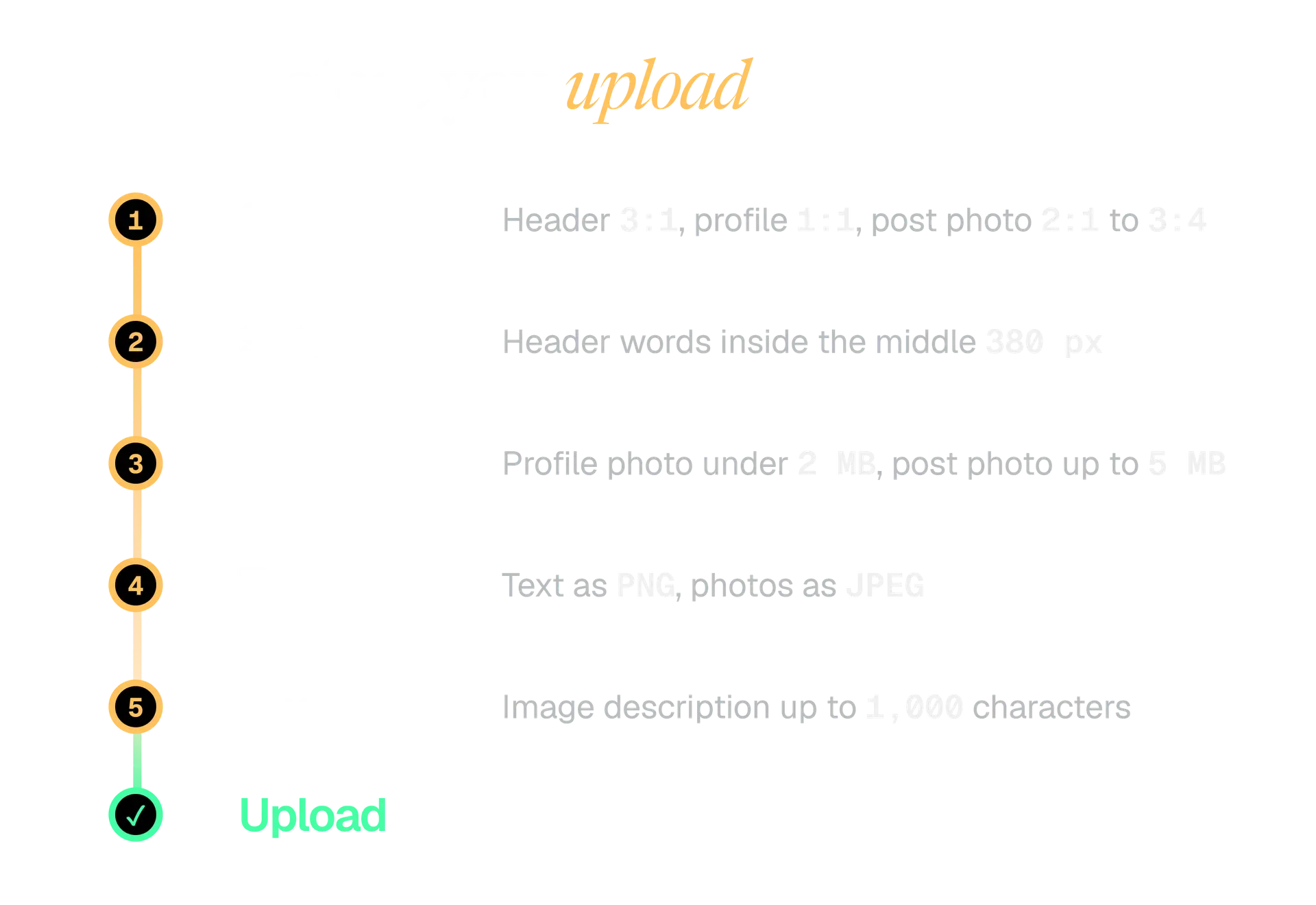
- The shape suits the target: 3:1 header, 1:1 profile photo, 2:1 to 3:4 post photo.
- Header words sit inside the middle 380 pixels.
- The profile photo still works as a circle.
- The file is under 2 MB for a profile photo and 5 MB for a post photo.
- Text is saved as PNG, photographs as JPEG.
- You looked at it at phone size.
- The image has a description, and any words in it are repeated there.
Keep the sizes in this guide close by, and check them again if X changes its pages. We checked every number again on 1 October 2026 and listed each source below.
In the product
How Kairo Post does this
Everything above works by hand. Kairo Post does the same work for you, with your approval before anything goes out.
Questions people ask
Are the header and profile photo sizes required or only recommended?
Does X have a maximum image size in pixels?
Can I use an animated GIF as a profile photo or header?
Can I upload a WEBP image to X?
Which file type is best for an image on X?
Are ad images the same size as organic post images?
Sources
Every rule, limit and figure in this post was checked against these on the date shown.
- How to customize your X profile, X Help Center
help.x.com · checked
- Help with uploading a profile photo, X Help Center
help.x.com · checked
- How to post photos or GIFs on X, X Help Center
help.x.com · checked
- How to add image descriptions, X Help Center
help.x.com · checked
- How to write great image descriptions, X Help Center
help.x.com · checked
- Best practices for media uploads, X developer documentation
docs.x.com · checked
- Media upload endpoints on the X API v2, X developer documentation
docs.x.com · checked
- Cards markup, X developer documentation
developer.x.com · checked
- X Ads creative specs, X Business
business.x.com · checked
Written by