The X API guide for developers: access, auth, limits and cost
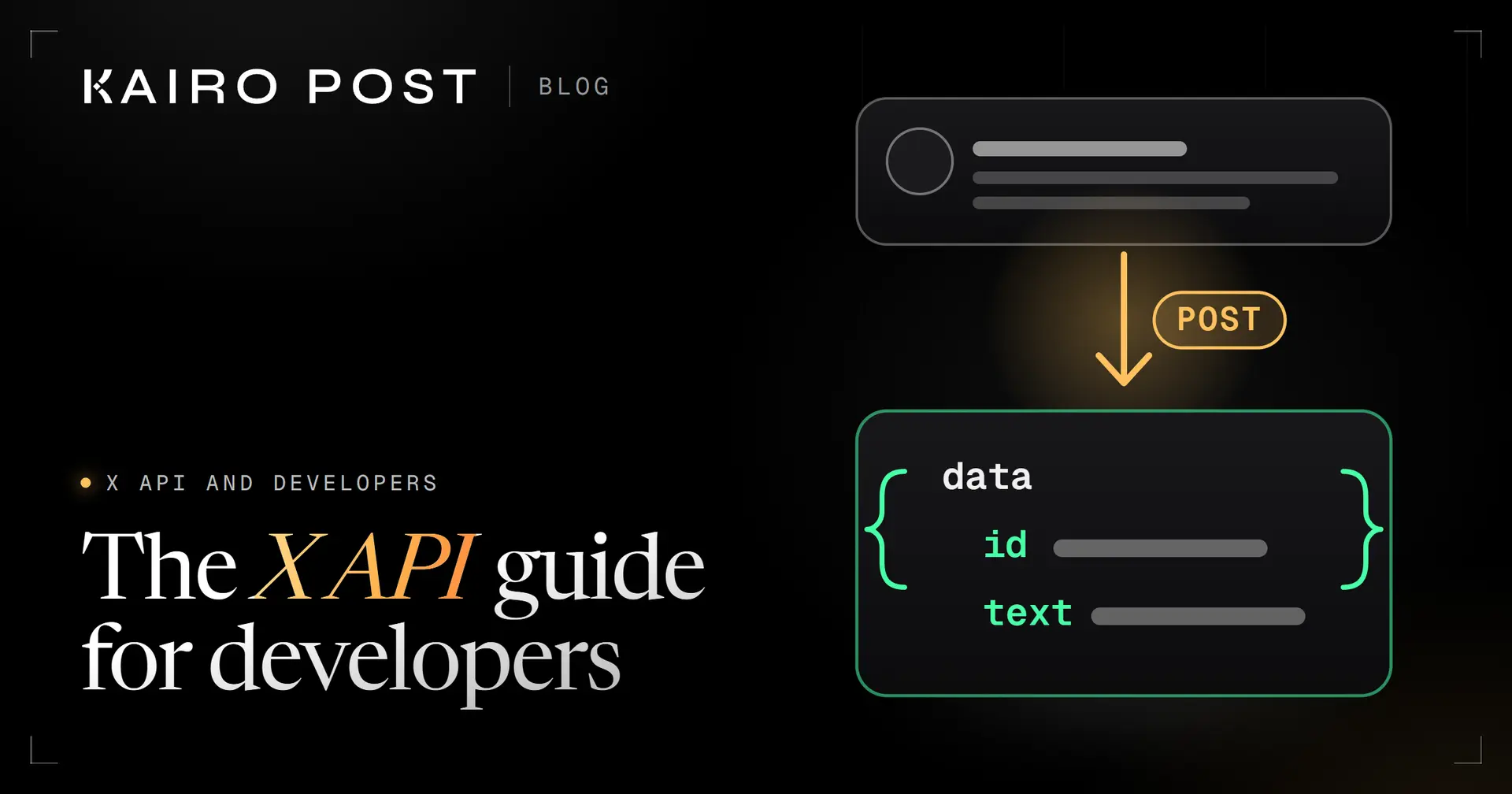
The short answer
The X API is X's official interface for creating and reading posts and other data over HTTPS, billed pay per use. Create an app in the Developer Console at console.x.com, use a bearer token for public reads or OAuth 2.0 to act for a user, stay inside the per endpoint rate limits and follow the Developer Policy.
Key takeaways
- Get access in the Developer Console at console.x.com: accept the Developer Agreement and Policy, create an app and store the credentials, which are shown only once.
- A bearer token reads public data. Creating a post needs a user token from OAuth 2.0 with PKCE, valid for two hours unless you ask for a refresh token.
- Rate limits are counted per endpoint, per user or per app. On a 429, wait for the time in the reset header, then retry with backoff.
- As of 1 October 2026 X prices the API pay per use: $0.015 to create a post and $0.005 per post read. Set a spending limit before you build.
- The Developer Policy asks for consent before you act for someone, and it bans spam and circumventing limits. Read it before you design your first feature.
You want your app to publish a post, read mentions or watch a topic as it happens. The X API is the official way to do all three. It also changed a lot in 2026: X launched pay per use pricing on 6 February, started restricting programmatic replies on 23 February, and moved events to a new product while an older one is being deprecated.
This guide is the map. You get the shortest correct path from an idea to a working first call, with the rules that trip people up on the way. Every fact comes from X's own developer documentation, checked on 1 October 2026.
- Access and keys: what to create, and which credential does what.
- Authentication: the three ways to prove who you are, in plain words.
- Creating a post: the call, the media step and the reply rule.
- Limits, errors and costs: how to stay inside them and what to do on a 429.
- Events and rules: webhooks, the Activity API and the Developer Policy.
What is the X API and what can you build with it?
The X API is X's official programming interface. Your code sends HTTPS requests to https://api.x.com/2/ and gets JSON back. Version 2 is the current, recommended version. X says version 1.1 still serves a few specialised endpoints but gets limited support. For the full create post request with media and errors, see how to create a post with the X API.
The docs list more than 370 reference pages. Most projects use six areas:
Write and read
Posts
Create and delete posts, look up posts, read timelines and conversations.
Read and manage
Users
Look up profiles, followers and following, and manage relationships.
Upload
Media
Upload images, GIFs and video, then attach them to a post.
Find
Search
Recent search covers the last 7 days. Full archive search goes back to March 2006.
Real time
Streams
Filtered stream sends you the posts that match rules you set, as they appear.
Push
Webhooks
X sends JSON to your server when something happens, so you do not have to poll.
Beyond these, the v2 reference covers spaces, direct messages, lists, trends and compliance. Enterprise APIs and the Ads API have their own documentation. This guide stays with the standard X API v2.
Here is how to find the right page for the job:
| You want to… | Start with |
|---|---|
| Publish a post from your app | The create post reference, plus media upload for images and video |
| Read public posts or profiles | Post lookup, user lookup or recent search, with a bearer token |
| Watch a topic live | Filtered stream, with rules you manage |
| React to events on an account | Webhooks with the X Activity API |
| Know what you are spending | The pricing page and the usage endpoint |
How do you get access to the X API?
You get access in the Developer Console at console.x.com. Sign in with your X account, accept the Developer Agreement and Policy, describe how you will use the API, then create an app. The console generates your credentials.
Sign in at console.x.com
Use the X account that should own the developer account. Protect it first: our guide to securing your X account covers two factor and connected apps.
Accept the Developer Agreement and Policy
X asks you to review and accept both. Read them once now. The Developer Policy section below covers what they mean for your design.
Describe your use
X asks for basic information about how you will use the API. Be specific and honest about what the app does.
Create an app
Click New App, then give it a name, a description and a use case. The console creates the credentials.
Some products add conditions on top. Account Activity, for example, asks for an approved developer account and a matching access level. Check the product page before you plan around it.
Which credential is which
The console hands you several credentials, and each has one job:
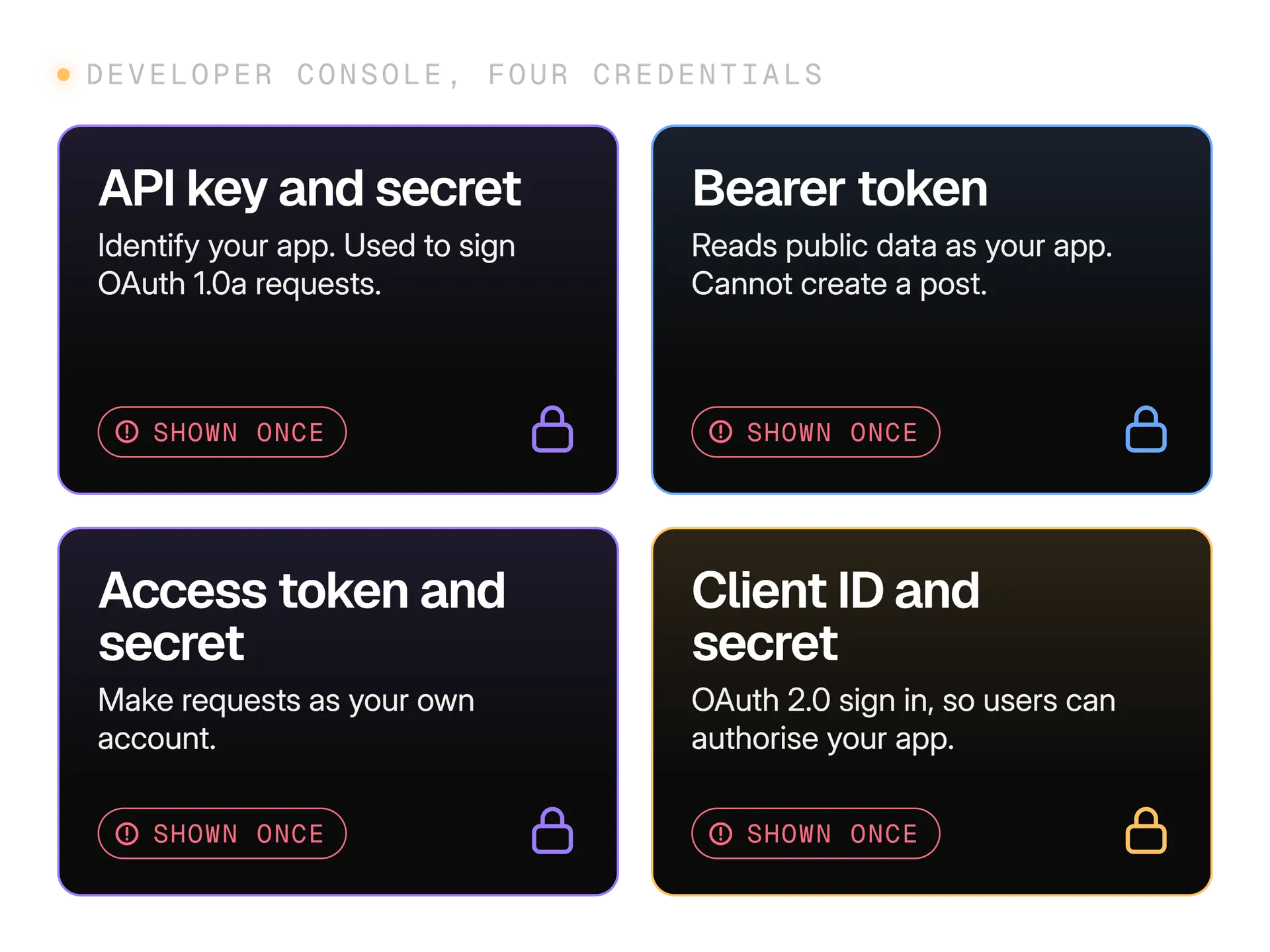
If a key leaks, regenerate it in the console and redeploy. The Developer Policy says you must keep all API keys and credentials private, so a leaked key is your problem to fix.
How does X API authentication work?
X API authentication has two main modes. A bearer token acts as your app and reads public data. An OAuth 2.0 user token acts as a person who authorised your app, and it is what you need to create a post. Two production topics have their own guides: idempotency keys so a retry never posts twice and storing OAuth tokens safely.
X's docs list four methods: OAuth 1.0a user context, an app only access token, basic authentication (needed for many enterprise APIs) and OAuth 2.0 Authorization Code Flow with PKCE. The two you will use first are compared here.
| App only bearer token | OAuth 2.0 user token |
|---|---|
| Acts as your app | Acts as one person who said yes |
| Reads public data | Reads private data and takes actions such as creating a post |
| Created for you in the Developer Console | Created when a person signs in to your app |
| Rate limits counted per app | Rate limits counted per user |
| Guard it like a password | Valid for two hours by default, then refreshed |
The rate limit row comes from X's rate limits page. The two hour lifetime comes from the OAuth 2.0 page.
What is PKCE, in plain words?
The problem it solves is real: the IETF standard behind it says apps using the authorization code flow are open to code interception, where another program grabs the code on its way back. PKCE closes that gap.
The OAuth 2.0 flow in four steps
Make a verifier and a challenge
Generate a random verifier, then hash it with S256 to get the challenge. Also make a random
statevalue, up to 500 characters, to guard against forged callbacks.Send the person to X
Redirect them to
https://x.com/i/oauth2/authorizewithresponse_type=code, your client ID, your redirect URI, the scopes you need, the state and the challenge. The redirect URI must match exactly what you saved in the console.Receive the code
X sends the person back to your redirect URI with a code and your state. Check the state matches before you go on.
Swap the code for tokens
Send the code and the original verifier to
https://api.x.com/2/oauth2/token. You get an access token. Include theoffline.accessscope earlier and you also get a refresh token.
Three more points to know:
- Scopes are the permissions you ask for, such as
users.read,follows.read,dm.writeoroffline.access. Ask for the smallest set that does the job. - The SDK helps. The TypeScript SDK includes helpers for the PKCE steps. Writing the flow by hand is an easy place to make a security mistake.
- Migration is possible. On 21 September 2026 X's changelog added a way to exchange a user's stored OAuth 1.0a access token and secret for an OAuth 2.0 token without asking them to authorise again. If you run an older app, that is your migration path.
How do you create a post with the X API?
You create a post by sending a POST request to the create post endpoint with the user's access token and a JSON body that contains text. X answers with the new post's id. Copy the endpoint address from the Create post reference, because it is not what the word post suggests. The TypeScript SDK wraps the call. This example joins its client setup and its create method:
import { Client } from "@xdevplatform/xdk";

// A user access token from the OAuth 2.0 flow, with the scope for writing posts
const client = new Client({ accessToken: process.env.X_USER_ACCESS_TOKEN! });

const result = await client.posts.create({ text: "Hello from my first API call." });
console.log(result.data?.id);
- The response has a
dataobject with the post'sid, itstextand the ids of its edit history. Log the id, because you will need it to delete the post, look it up or reply to it later. - The install is
npm install @xdevplatform/xdk. X's docs give no single complete example for this call, so treat the snippet as a starting point and run it on a test account first.
What else can the body hold?
| Field | What it does |
|---|---|
text | The post text. Optional when you attach media. |
media | Media ids from an upload, plus optional tagged users. |
reply | Makes the post a reply to another post. |
poll | A poll with 2 to 4 options that lasts 5 to 10,080 minutes. |
reply_settings | Who can reply: following, mentionedUsers, subscribers or verified. |
Two things to check before you send:
- Scopes. The user token needs the scope that allows writing posts, plus
users.readand the scope for reading posts. The Create post page lists them under its security requirements. - Length. Count text the way X does. A string length in your language is not X's count, and our guide to how X counts characters explains why links, emoji and some scripts weigh more than they look.
How do you attach an image or video?
Upload the file first, then put the returned media id in the post body. A post can carry up to 4 photos, 1 GIF or 1 video.
The media upload steps and size limits
X has two upload paths. A simple upload sends an image or GIF in one request. A chunked upload works for every media type: you initialise the upload, append the file in pieces, then finalise it to receive the media id.
The limits on X's media page, as of 1 October 2026:
- Images: 5 MB.
- Animated GIFs: 15 MB.
- Video: 8 GB and 20 minutes for default accounts, 16 GB and 125 minutes for Premium accounts.
Adding alt text to an upload is a separate Media Metadata request, priced at $0.005 per request. Our guides to image sizes, video limits and alt text cover what to prepare before you upload.
What about replies?
Replies sent by code have a special rule. X's changelog says that since 23 February 2026, programmatic replies are only permitted when the original post's author has "summoned" the replier, by mentioning that account or quoting one of its posts. We explain what that means in our guide to the X automation rules.
How do you read, search and page through posts?
You read with GET requests and a bearer token. The quickest first call is a user lookup. X's quickstart shows this one, which returns the profile of the account @xdevelopers:
curl "https://api.x.com/2/users/by/username/xdevelopers" \
  -H "Authorization: Bearer $BEARER_TOKEN"
- The response is a
dataobject with anid, anameand ausername. - It is deliberately small. That is how v2 works everywhere.
Why does the response have so little in it?
By default v2 returns minimal fields. For a post you get the id, the text and the edit history ids. You ask for more in two ways:
- Fields parameters choose which fields of an object come back.
- Expansions add a related object, such as the post's author.
X's docs say asking only for what you need reduces payload size and cost. That matters because you pay per resource read, as the cost section below shows.
Recent search or full archive search?
| Recent search | Full archive search | |
|---|---|---|
| Covers | The last 7 days | All posts since March 2006 |
| Results per request | Up to 100 | Up to 500 |
| Query length | 512 characters | 1,024 characters |
| Who can use it | Every developer | Pay per use and Enterprise customers |
Both pages of results work the same way. Each response carries a meta object. If it holds a next_token, send that value back as pagination_token to get the next page. When next_token is missing, you have reached the end.
Search has its own query operators for keywords, users, media and filters, so read the search page before you build a query by hand.
What are the X API rate limits, and what do you do on a 429?
Rate limits cap how many requests you can send to an endpoint in a window, usually 15 minutes or 24 hours. They are counted per user when you use a user token and per app when you use a bearer token. Every endpoint has its own limit.
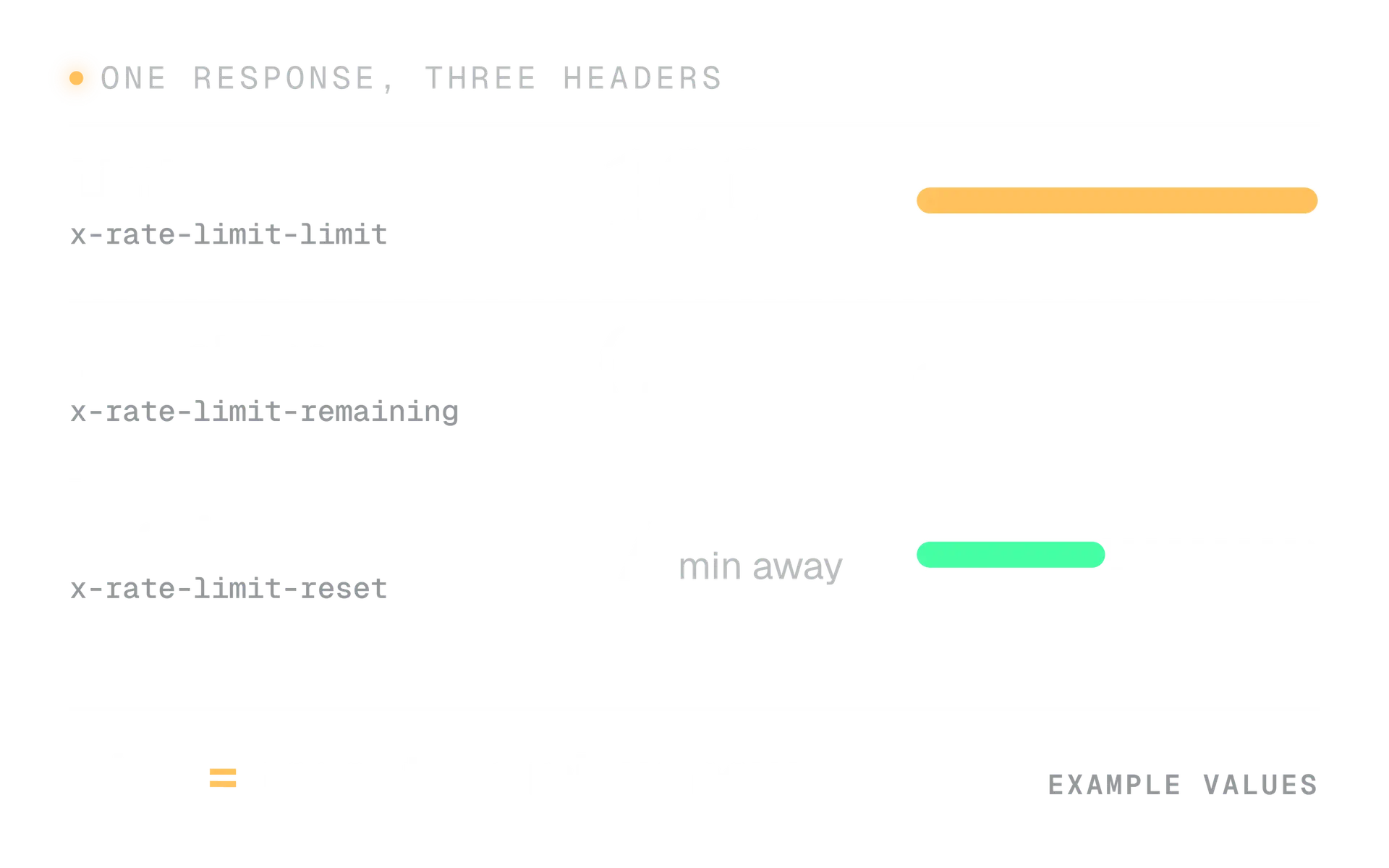
When you go over, the API answers HTTP 429 with the message "Rate limit exceeded". Three response headers tell you where you stand:
| Header | What it tells you |
|---|---|
x-rate-limit-limit | The most requests allowed in the window |
x-rate-limit-remaining | How many you have left |
x-rate-limit-reset | A Unix timestamp for when the window resets |
The limits most apps hit first
These figures are from X's rate limits page, as of 1 October 2026:
| Endpoint | Per app | Per user |
|---|---|---|
| Create a post | 10,000 per 24 hours | 100 per 15 minutes |
| Delete a post | Not listed | 50 per 15 minutes |
| Recent search | 450 per 15 minutes | 300 per 15 minutes |
| Mentions timeline | 450 per 15 minutes | 300 per 15 minutes |
| Look up several users | 300 per 15 minutes | 900 per 15 minutes |
| Upload media | 50,000 per 24 hours | 500 per 15 minutes |
Our X API cost calculator compares your expected volume with these limits and shows the headroom for each line. Account level posting limits sit on a separate X Help Center page. They have changed this year, so read that page itself for the current numbers.
How should your code handle a 429?
X's guidance is three steps: read x-rate-limit-reset, wait until that time, and use exponential backoff for robustness. Here is a short helper that does exactly that for 429 and server errors:
async function callWithRetry(url: string, init: RequestInit, tries = 4): Promise<Response> {
  for (let attempt = 0; attempt < tries; attempt++) {
    const res = await fetch(url, init);
    if (res.status !== 429 && res.status < 500) return res;

    const reset = Number(res.headers.get("x-rate-limit-reset")); // Unix seconds
    const untilReset = reset ? reset * 1000 - Date.now() : 0;
    const backoff = 2 ** attempt * 1000; // 1s, 2s, 4s, 8s

    await new Promise((r) => setTimeout(r, Math.max(untilReset, backoff)));
  }
  throw new Error("Still failing after retries");
}
Use the longer of the two waits. On a 429 the reset time is the real answer, and the backoff protects you when the headers are missing or a server error has no reset time.
Handle limits calmly
- Read the reset header and wait for it.
- Cache lookups you repeat, such as your own profile.
- Ask for fewer fields and fewer results.
- Queue work so bursts spread across the window.
Fight the limit
- Retry instantly in a tight loop.
- Spread calls over extra apps to get more room.
- Ignore the headers and guess a delay.
- Retry a failed create call without checking it first.
The Developer Policy says you may not exceed or circumvent rate limits. Splitting one job across extra apps is circumvention in spirit, and the restricted use cases page also bars registering several apps for the same use case without approval.
What do the X API error codes mean?
The API uses standard HTTP status codes. The one habit that saves most debugging time is to read the detail field of the error, which says what is wrong for this request.
| Code | Meaning | What to do |
|---|---|---|
| 200, 201, 204 | Success. 201 means created, 204 means no content. | Carry on |
| 400 | Invalid JSON, a malformed query or a missing parameter | Fix the request |
| 401 | Missing or invalid credentials | Check the token and how you send it |
| 403 | Valid credentials, but not allowed to do this | Check scopes, access level and the account |
| 404 | The resource does not exist or was deleted | Handle it as normal data |
| 409 | The stream has no rules (filtered stream only) | Add a rule, then connect |
| 429 | Rate limit or usage cap exceeded | Wait for the reset, then back off |
| 500, 502, 503, 504 | A problem on X's side | Wait and retry |
Each error object has a type, a title and a detail. One more point from the docs: check the errors array even in a successful 200 response, because a request for several items can partly fail.
Note that 429 also covers a usage cap, not only a rate limit. If waiting for the reset does not help, check your credits and your spending limit before you suspect your code.
How do webhooks, streams and the Activity API work?
All three deliver data without polling. A filtered stream keeps a connection open and sends the posts that match your rules. Webhooks make X call your server. The X Activity API can do either, for events about the accounts you subscribe to.
| Poll with search | Filtered stream | Webhook | |
|---|---|---|---|
| How data arrives | You ask on a timer | X sends it down an open connection | X posts it to your HTTPS URL |
| Best for | Occasional checks | Watching a topic live | Reacting to account events |
| You must run | A scheduler | A process that stays connected | A public server that answers fast |
| What to watch | Repeated reads add up | Reconnect when the keep alive stops | Answer in 10 seconds and keep the URL valid |
Filtered stream
X says filtered stream delivers matching posts with a P99 latency of about 4 to 5 seconds. You add and remove rules without disconnecting. On pay per use you can have 1,000 rules per project, each up to 1,024 characters.
- Keep alive: the stream sends a blank line every 20 seconds.
- Reconnect: if nothing arrives for 20 seconds, X says to reconnect, so build that in from day one.
Webhooks: the three requirements
The v2 Webhooks API pushes JSON events to your endpoint. You register it with a bearer token, and X checks it immediately. Your endpoint must:
- Use HTTPS at a public address, with no port in the URL.
- Answer within 10 seconds with a 200 status.
- Pass the challenge response check. X sends a GET request with a challenge, and you reply with an HMAC SHA256 hash that proves you control the endpoint. X repeats this check at registration, every hour and on manual revalidation.
A webhook is marked invalid if it fails the check or keeps returning transient errors for more than 28 hours, which includes a 4 hour grace period. After that you must fix the endpoint and validate it again.
How do you verify a webhook is really from X?
Every delivery carries a signature header. Its value is sha256= followed by the base64 encoded HMAC SHA256 of the raw request body. X offers two such headers: a recommended one that uses your OAuth 2.0 client secret, and a legacy one that uses the OAuth 1.0 consumer secret. Read the exact header names on X's Webhooks page.
The rules for your code are short:
- Sign the raw bytes you received. If you parse the JSON and serialise it again, the bytes change and the check fails.
- Compare in constant time, not with a plain equals sign.
- Reject the event when the check fails, and answer quickly either way.
Our webhook signature verifier shows every step. Its page tells you to change three things for another sender: the signed string, the encoding and the prefix. For X those are the raw body, base64 and sha256=.
How much does the X API cost?
As of 1 October 2026, X's pricing page describes pay per usage with no subscriptions. You buy credits up front and each request deducts from them in real time. Here are the figures you need to plan a first project.
$0.015
to create one post
X API pricing page, 1 October 2026
$0.200
to create a post with a URL
X API pricing page, 1 October 2026
$0.005
per post read
X API pricing page, 1 October 2026
3 million
post reads per monthly billing cycle on pay per use
X API pricing page, 1 October 2026
Other lines on the page include $0.010 per user read, $0.001 per owned read (your own data, introduced in the changelog on 16 April 2026) and webhook deliveries billed between $0.005 and $0.010 each. The pricing page does not define what counts as a URL for the higher create price, so test it before you rely on a cost.
How do you keep the bill under control?
- Set a spending limit. X lets you set a maximum monthly spend and blocks requests when it is reached.
- Lean on deduplication. X deduplicates a resource requested again within the same 24 hour UTC window.
- Check usage. A usage endpoint reports daily post usage and, on pay per use, the credit balance.
- Mind auto recharge. X limits it to one top up every 5 minutes, so a runaway loop cannot refill without bound.
Estimate before you build: enter your posts, threads, link share and reads into the X API cost calculator. It uses X's published prices and lets you type over any figure that has changed.
What does the X Developer Policy allow?
The Developer Policy lets you build apps that post, read and respond, as long as you get consent, avoid spam and manipulation, keep credentials private and stay inside the limits. Break these rules and X can rate limit you, suspend the app, remove API access or ban accounts.
| Rule | What it means for your design |
|---|---|
| Consent | Get express, informed consent before acting for a person. Signing in does not count as consent by itself. |
| No spam or manipulation | Using the API for spam or platform manipulation is prohibited. |
| Automated replies and DMs | Get explicit consent first and honour opt outs at once. |
| Credentials | Keep every API key and access credential private. |
| Limits | Do not exceed or circumvent rate limits. |
| Sharing data | Share post, DM and user IDs only, up to 1,500,000 post IDs to any entity in 30 days without written permission. |
The Developer Guidelines add two practical points. Bots that run on the API need the Automated profile label and a bio that says who runs them. And automation outside the API, such as scraping or scripting a browser, can lead to permanent suspension.
The restricted use cases page also lists categories that are off limits, among them inferring sensitive attributes about users, surveillance, and matching X accounts to outside records without opt in.
Safe patterns
- Publish posts a person wrote or approved.
- Reply to someone who mentioned the account, once.
- Send a message only after the person messaged first, with an easy opt out.
- Label the account as Automated when it runs without a person.
Policy trouble
- Reply to every post that contains a keyword.
- Like or follow in bulk.
- Post the same text from several accounts.
- Store or infer sensitive facts about users.
The full list of allowed and banned automation is in our guide to the X automation rules. If an account does get limited, what to do if your X account is locked or suspended walks through the recovery. And if you work for clients, our guide to managing X for clients covers access and consent.
Which libraries and tools save you time?
Use an official SDK unless you need something it lacks. X publishes a Python SDK, installed with pip install xdk, and a TypeScript SDK, @xdevplatform/xdk. X's quickstart says the SDKs handle authentication, pagination and rate limiting.
The other official resources are worth knowing:
- An OpenAPI document at
api.x.com/2/openapi.json, for generating clients and checking request shapes. llms.txtandllms-full.txton docs.x.com, which put the whole documentation in a form that assistants can read.- A hosted X MCP server that lets agents search, look up users and manage bookmarks.
- A samples repository on GitHub with working JavaScript examples for posts, streams, usage and users.
If you would rather use a posting product than build on the raw X API, Kairo Post publishes through the official X API for you, as its content and composer page describes. You connect your accounts and never handle keys or tokens yourself.
Mistakes developers make with the X API
These come up again and again when teams first build on the platform:
- Using the wrong token. A bearer token cannot create a post. Switch to a user token before you debug anything else.
- Parsing the webhook body first. The signature covers the raw bytes. Verify, then parse.
- Paying for fields you never use. Asking for every field and expansion inflates responses and cost.
- Polling with pagination. Use
since_idand a sensible interval instead of walking the same pages. - Ignoring the errors array. A 200 response can still contain partial failures.
- Retrying writes blindly. A failed create call may have succeeded. Check before you resend.
- Treating the docs as fixed. Prices, limits and products moved several times this year. Read the changelog before each release.
Your first X API project, step by step
Start small. A first project that posts one thing to one test account teaches you the whole stack, and it is cheap at $0.015 for each post created.
Day 1
Access
Create the developer account and an app. Save every credential in a vault. Set a spending limit before you buy credits.
Day 2
Read
Make the user lookup call with a bearer token. Add a fields parameter and see what changes in the response.
Day 3
Sign in
Build the OAuth 2.0 PKCE flow with the SDK helper and get a user token with a refresh token.
Day 4
Write
Create one post on a test account. Handle a 429 with the retry helper above. Add media only after text works.
Day 5
Listen
Register a webhook or open a filtered stream. Verify signatures on the raw body.
Before you ship it to real users, tick off this list:
Before you launch an X API app
- Credentials live in a secrets vault, not in the repository.
- Your app asks only for the scopes it uses.
- Every call handles 429 and 5xx with the reset header and backoff.
- A spending limit is set and you know your expected monthly volume.
- Webhook endpoints verify the signature on the raw body.
- People know what the app does for them and have said yes.
- Automated accounts carry the Automated label and a bio that names who runs them.
- You have read the Developer Policy and the automation rules.
Then estimate your volume with the X API cost calculator, bookmark the changelog and ship the smallest version that works.
In the product
How Kairo Post does this
Everything above works by hand. Kairo Post does the same work for you, with your approval before anything goes out.
Questions people ask
Is the X API free?
Do I need approval to use the X API?
What is the difference between a bearer token and an access token?
How long does an X API access token last?
What should my code do when the X API returns 429?
Can I reply to posts automatically with the API?
Is the Account Activity API still the way to receive events?
Sources
Every rule, limit and figure in this post was checked against these on the date shown.
- X API pricing, X developer documentation
docs.x.com · checked
- Getting access to the X API, X developer documentation
docs.x.com · checked
- Rate limits, X developer documentation
docs.x.com · checked
- Response codes and errors, X developer documentation
docs.x.com · checked
- OAuth 2.0 Authorization Code Flow with PKCE, X developer documentation
docs.x.com · checked
- Create post, X developer documentation
docs.x.com · checked
- Webhooks, X developer documentation
docs.x.com · checked
- Account Activity API, X developer documentation
docs.x.com · checked
- X Activity API, X developer documentation
docs.x.com · checked
- X Developer Policy, X developer documentation
docs.x.com · checked
- Developer Guidelines, X developer documentation
docs.x.com · checked
- X API changelog, X developer documentation
docs.x.com · checked
- Proof Key for Code Exchange (RFC 7636), IETF
datatracker.ietf.org · checked
Written by