Is X automation allowed: the X automation rules explained
The short answer
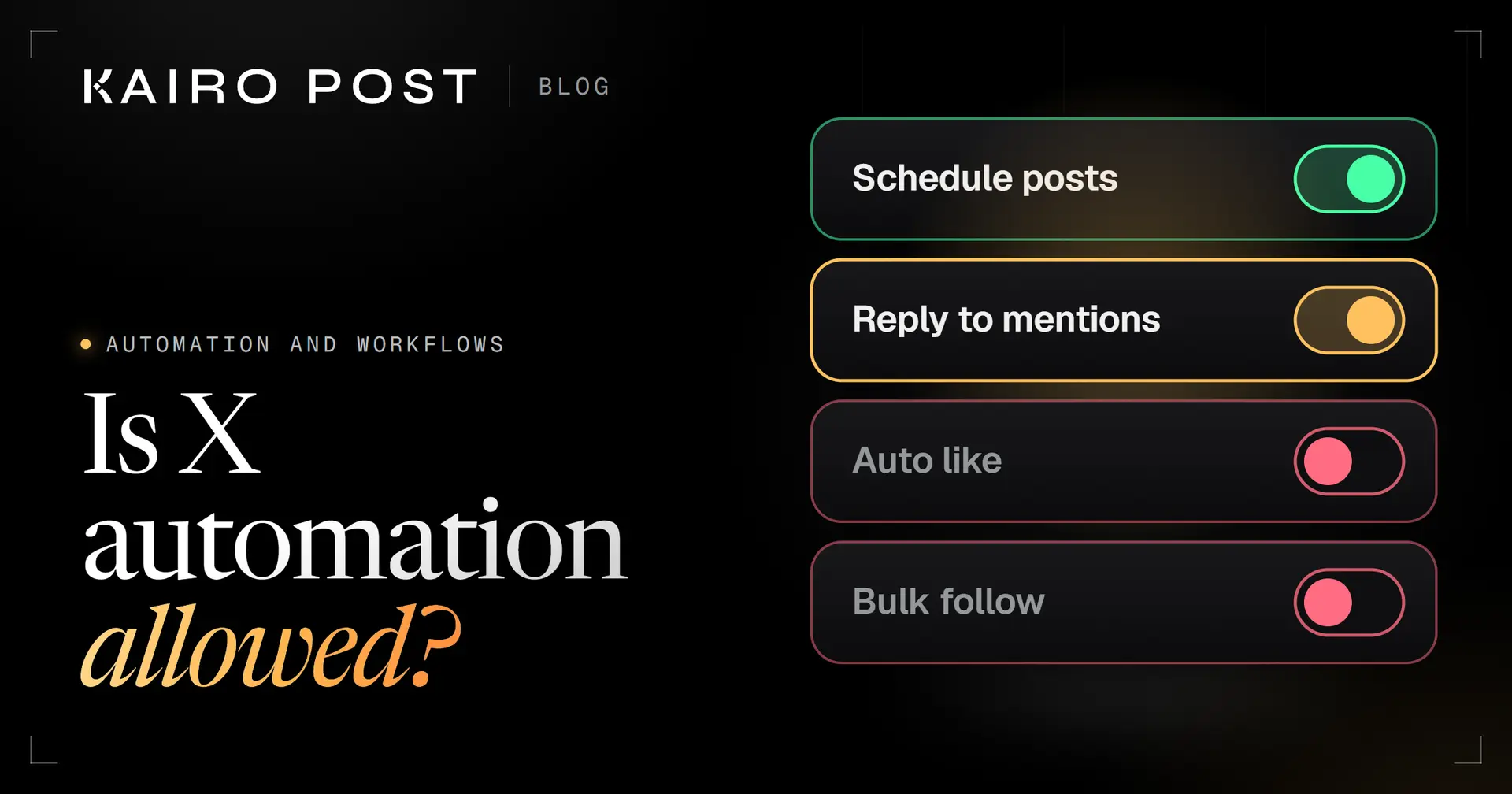
Yes, X allows automation that follows its Automation rules and Developer Policy: scheduled and helpful posts are fine, while unsolicited replies, automated likes, bulk following and scripting the X website are not. Since 23 February 2026, self serve API access can only reply to posts whose author mentioned or quoted the account.
Key takeaways
- X defines automation as repeated actions taken without a person actively performing them, so a scheduler counts and the rules cover it.
- Allowed: scheduled and helpful posts, plus replies and messages to people who invited them, with an easy way to opt out.
- Not allowed: automated likes, hiding replies, bulk following, duplicate posts across accounts and posting about trending topics.
- Never script the X website. Automation outside the API may lead to permanent suspension.
- You answer for what a connected tool does. X may filter your posts from search or suspend the account.
You want a tool to post for you, answer people and maybe follow a few accounts. You also want to keep your account. So you search for the X automation rules and find forum threads, vendor blogs and ten different answers. For what is worth automating in the first place, and what should stay human, see our guide to X automation.
The short answer: X allows automation, within limits it writes down. It welcomes scheduled and helpful posts. It bans most of what growth tools advertise. And since 23 February 2026 it blocks a whole class of automated replies at the API itself. This guide reads X's own rules in plain English. You get three things:
- What is allowed, and the condition that comes with each action.
- What is not, in X's own words where we could quote them.
- A checklist to run before you connect any tool.
We checked every rule against X's pages on 1 October 2026. Rules change, so the date matters.
Is automation allowed on X?
Yes. X allows automation that follows its Automation rules and its Developer Policy. The rules do not ban automation as such. They set out what is welcome, what needs the other person's permission first and what is banned.
X's Help Center defines the word like this:
Read literally, that includes a scheduler that publishes your post at 9:00 while you sleep. Nothing we read bans that. X's developer guidelines list an automated account that posts scheduled content, such as news, weather or quotes, as allowed. So "is this automated?" is the wrong test.
Across the pages we read, three questions decide almost everything:
- Who started it? An action the other person invited, such as a mention or a Direct Message, is treated very differently from one nobody asked for.
- Is it bulk, aggressive or duplicate? That is the heart of the spam rules.
- Does it go through X's API? Automation outside the API gets the strictest treatment.
The rest of this guide applies those three questions to real actions.
Where X writes its automation rules
X's rules sit in four places, and they overlap. Read all four before you trust a tool's promise that it is safe.
| Page | Who it is for | What it covers |
|---|---|---|
| Automation rules, Help Center | Anyone whose account or app takes automated actions | What you can build, what is banned, how X acts on violations |
| X Developer Policy | Developers using the X API | Spam, write actions, consent, bot disclosure, rate limits |
| Developer Guidelines | Developers | A plainer page of allowed and not allowed actions, with example scenarios |
| Automated account labels, Help Center | Owners of bot accounts | How the label works and what it links to |
The pages point at each other. The Developer Policy says services that perform write actions, which means posting, following accounts or sending Direct Messages, must follow the Automation rules. DMs have their own rules; see automated DMs on X: rules and better alternatives.
X's account limits for posts, Direct Messages and follows sit on a separate page. They are not part of the automation rules, and X has changed them in 2026, so we give no numbers here. Read that page itself rather than a blog's list. For the mistakes that most often lead to limits, see automation mistakes that get X accounts limited.
What you can automate on X
Most publishing work is allowed. These are the things X's pages say you can automate, and the condition that comes with each.
Allowed
Scheduled posts
Posts you wrote, published later by a tool. The developer guidelines list scheduled content from an automated account as allowed.
Allowed
Helpful broadcasts
The Automation rules say you can build solutions that automatically broadcast helpful information in posts.
Allowed
Reading and search
The developer guidelines list search and read use as fine, within rate limits.
With conditions
Replies to people who engaged
A campaign can auto reply to users who engage with your content. The person must have invited it, and you send one automated reply per interaction.
With conditions
Messages to people who opted in
Automated Direct Messages are fine for people who asked for them or clearly signalled they want to hear from you, with an easy opt out you honour promptly.
With conditions
Reposts and quotes
You may repost or quote in an automated way for entertainment, information and other reasons, if you follow every other rule.
The word to hold on to is consent. The Help Center and the Developer Policy both ask for it before an automated reply or message, and for an easy opt out.
Direct Messages need extra care. X says that being technically able to message someone does not mean they expect automated messages from you. The developer guidelines put it more strictly: automated Direct Messages only after the user messages you first, with an easy opt out. Plan for the stricter reading.
What X's automation rules do not allow
The banned list is short and specific. Most of it is what growth tools sell.
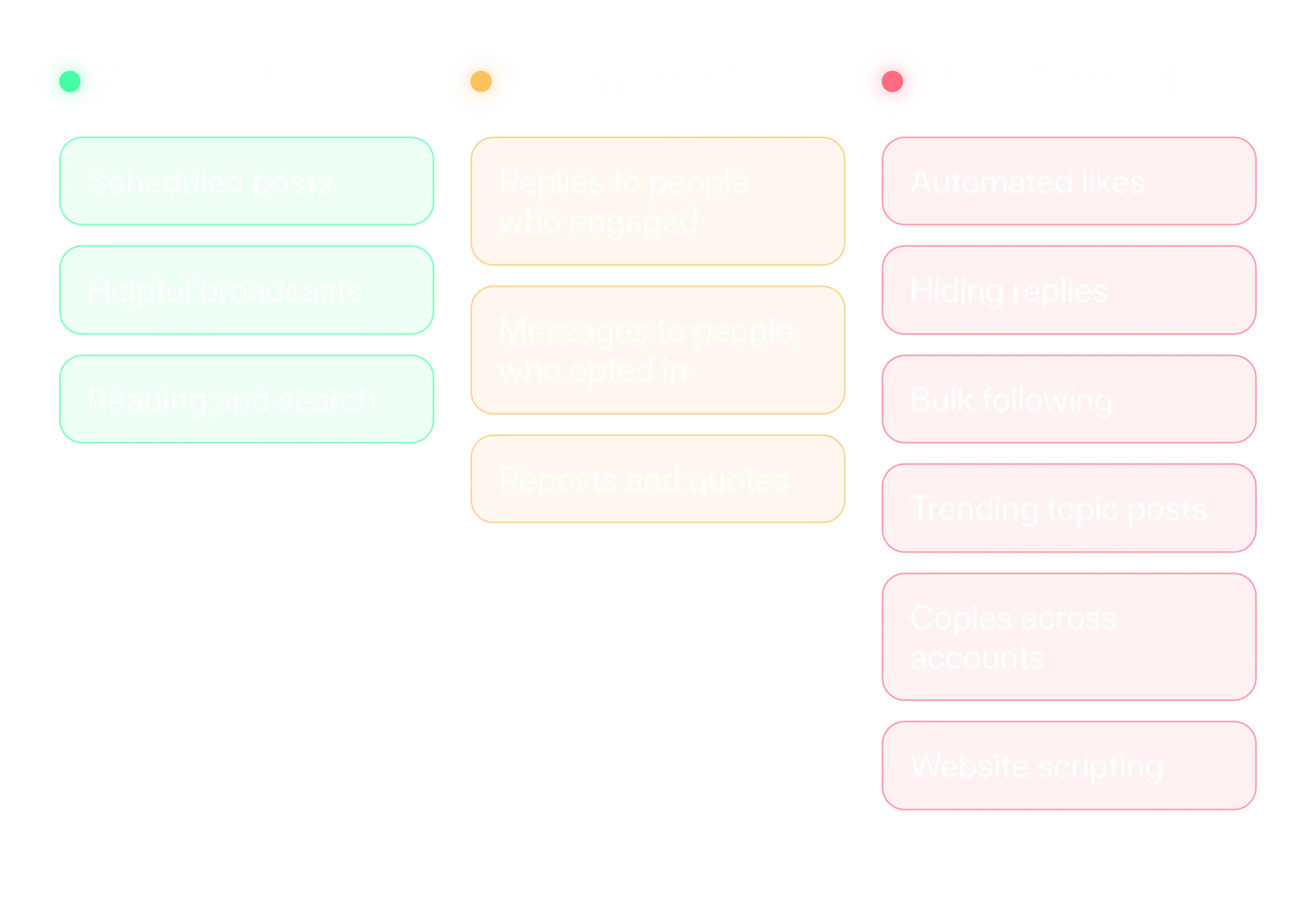
Here is the wording behind the red column. Where a cell has quotation marks, those are X's own words.
| Banned | What X's pages say |
|---|---|
| Automated likes and hiding replies | "You may not like posts or hide replies in an automated manner." |
| Bulk following | "You may not follow or unfollow X accounts in a bulk, aggressive, or indiscriminate manner." |
| Duplicate posts | "You may not post duplicative or substantially similar posts on one account or over multiple accounts you operate." |
| Trending topics | "You may not automatically post about trending topics on X, or use automation to attempt to influence or manipulate trending topics." |
| Unsolicited replies | Sending automated replies to posts based on keyword searches alone is not permitted. |
| Unsolicited messages | You may not send unsolicited Direct Messages in a bulk or automated manner. |
| Website scripting | Non API automation, such as scripting the X website, may result in permanent suspension. |
Here is how that looks in practice, as four examples on each side:
Inside the rules
- A tool publishes a post you wrote, at the time you chose.
- Someone mentions your support account, and your app sends one reply on that post, with a note on how to stop messages.
- Someone messages you first, and an automated answer offers an easy opt out.
- A feed of helpful updates posts on a schedule.
Outside the rules
- A tool replies to every post that contains your keyword.
- A tool likes every post that uses a hashtag.
- A tool follows hundreds of accounts, then unfollows the ones that do not follow back.
- The same announcement goes out word for word from five accounts.
How automated replies work after the February 2026 change
Automated replies are where X has tightened the most. There are two layers: the rules in the Help Center and, since 23 February 2026, a limit built into the API.
- The rules. Reply automatically only to people who invited it, send one automated reply per interaction, and never reply to posts found by keyword alone.
- The API. X's changelog entry of 23 February 2026 says programmatic replies are only permitted when the original post's author has "summoned" the replier, by mentioning that account or quoting one of its posts.
This ends a popular pattern: a tool watches a keyword, finds a stranger's post and replies. The rules already banned it. Now the API for self serve access refuses it as well.
The same entry says that further restrictions apply to programmatically mentioning or quoting users, and it does not list them. If your tool mentions people in the posts it publishes, read the changelog entry before you rely on it.
Who the change applies to
X's announcement says the reply restriction covers self serve access: the legacy Free, Basic and Pro plans and pay per use. Enterprise access was not affected.
The changelog describes replies sent through the API. It does not describe replies you type yourself on x.com or in the app.
One more rule belongs here. Do not ask people to send personal or private information in a public reply. X asks you to move that part to a Direct Message or another private channel.
Do you need the Automated label?
If you run a bot account, yes. X requires the Automated label. If people write the posts on a brand account and a tool only schedules them, X's pages do not say you need it. The line between the two is yours to judge.
X calls accounts that perform programmed actions through the API automated accounts, often known as bots. When the owner switches the label on, it shows on the profile under the name and handle, may also show on posts, and links to the human run account that manages the bot.
Among other duties, the developer guidelines ask bots to turn on the label, say in the bio that the account is a bot and who runs it, and link to a human managed account. The Developer Policy adds that you must never mislead or confuse people about whether your account is or is not a bot.
| A bot account | A brand account run by people |
|---|---|
| The program decides what goes out | Your team decides, even when a scheduler presses publish |
| The label is required by X's rules | The pages we read do not ask for it (our reading) |
| The bio says it is a bot and who runs it | A normal bio |
| If nobody reviews the posts, treat it as a bot | If someone reviews every post, it is run by people (our reading) |
Labelling is the safer mistake. If you are unsure which side your account is on, label it and say who is responsible.
AI is a special case. In our reading, writing a reply with AI for a person to read, edit and send is not automation by X's definition, because a person performs the action. A program that generates and posts replies by itself is automation, and the developer guidelines say AI generated replies need X's approval before deployment.
Why scripting is the riskiest kind of automation
Anything that works by operating the X website like a person, clicking and typing through a script, is the riskiest automation. X's Automation rules say non API automation, such as scripting the X website, may result in permanent suspension. The developer guidelines list browser scripting and scraping as prohibited too.
Using the API comes with its own rule: stay inside the rate limits. Each endpoint limits how many requests you can make. Pass the limit and the API answers with HTTP status 429 and the message Rate limit exceeded. Response headers say how many requests remain and when the window resets.
The Developer Policy says you may not exceed or circumvent rate limits. The documentation describes one way to handle a 429: wait until the reset time, then retry. A tool that promises to get around limits is promising to break the policy. We do not cover tricks here, because there is no safe one.
What changes when you run several accounts
The duplicate rule follows you across every account you operate. The Automation rules and the Developer Policy both say not to post identical or substantially similar content across multiple accounts.
Agencies and multi brand teams meet this the day two accounts react to the same news. One post pasted onto three accounts is the exact pattern the rule describes. Write a different angle for each. Our agency guide covers shared launches, and the duplicate post checker shows how much wording two drafts share, so you can rewrite before you publish.
If you automate through someone else's account, X also expects a clear description of the automated actions and the person's express consent. The Help Center says that signing in through X to approve an app is not enough consent on its own. Put every automated action in your scope of work, in writing.
What happens if automation breaks the rules
X says what may follow. The Automation rules state: "If automated activity on your account violates the X Rules or these automation rules, X may take action on your account, including filtering your posts from search results or suspending your account."
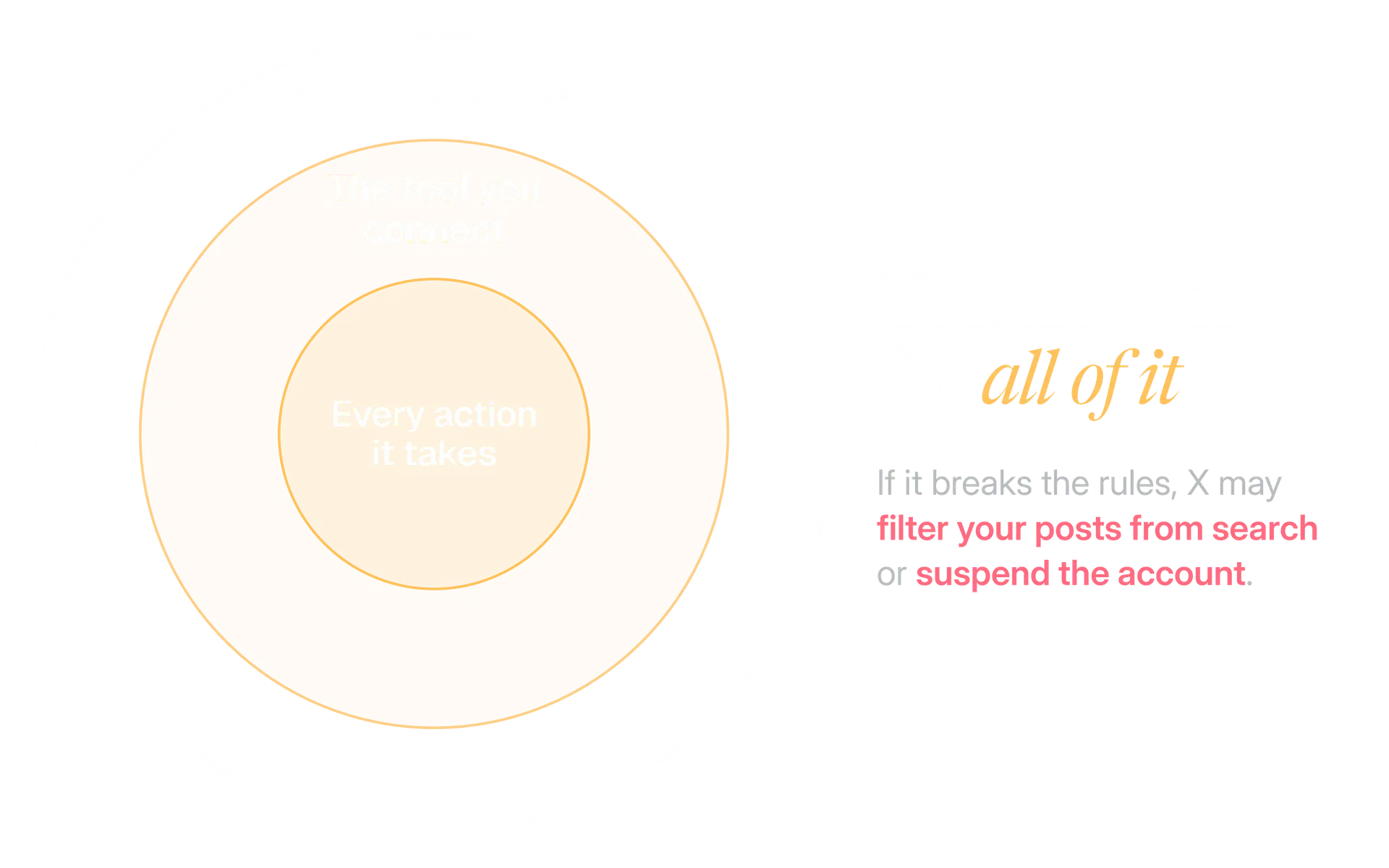
So a tool's mistake lands on your account, not on the vendor. A few more points are worth knowing:
- There is no safe number. No X page we read says how many actions are too many. Treat any tool that advertises safe daily limits as guessing.
- The pages say may. They name filtering and suspension and do not set out an order of steps.
- The developer guidelines are firmer. They say the activities on their prohibited list lead to suspension or a permanent ban.
A checklist to run before you connect any tool
Run this on every tool that acts on your account, including ours. One failed line is enough to stop and ask the vendor.
Before you connect a tool to your X account
- It connects through X's official API and never asks for your X password.
- It tells you in plain words which actions it will take on your account.
- Every reply or message goes to someone who mentioned, replied to or messaged you first.
- It sends at most one automated reply per interaction.
- Messages include an easy way to opt out, and the tool honours it at once.
- It does not like, hide replies, follow or unfollow for you.
- It never posts the same content from several accounts.
- It does not post about trending topics on its own.
- If it uses AI to post replies, the vendor can show X's approval.
- You can pause it in one step, and you know who is responsible for what it does.
Kairo Post's Campaigns page describes plans that draft and schedule within a credit cap you set, and says posts go out on their own only when an owner or admin chooses that; otherwise each one waits for a person. Read it against the checklist and judge for yourself.
How to keep up when X changes the rules
X changed the reply rules in February 2026 through one changelog entry. Rules move, so make checking them a habit.
Bookmark the four pages
Keep the Automation rules, the Developer Policy, the Developer Guidelines and the label page in one folder.
Read the changelog before you change a setup
X posted the reply change in its API changelog. Check it whenever you add a tool or a new automated action.
Take the stricter reading
When two pages differ, as they do on automated Direct Messages, plan for the stricter one.
Write down what is automated
Keep a one page note per account: which tools are connected, what each does and who approves it.
Your next step is small. List every tool connected to your X account today and run the checklist on each one. Disconnect any that fail.
In the product
How Kairo Post does this
Everything above works by hand. Kairo Post does the same work for you, with your approval before anything goes out.
Questions people ask
Can I schedule posts with a third party tool?
Does my brand account need the Automated label?
Can I use AI to write replies automatically?
What happens when my tool hits a rate limit?
Do the February 2026 reply limits apply to replies I type myself?
Do the automation rules apply on the Enterprise API?
Sources
Every rule, limit and figure in this post was checked against these on the date shown.
- Automation rules, X Help Center
help.x.com · checked
- X Developer Policy, X developer documentation
docs.x.com · checked
- Developer Guidelines, X developer documentation
docs.x.com · checked
- X API changelog and release notes, X developer documentation
docs.x.com · checked
- Rate limits, X developer documentation
docs.x.com · checked
- About Automated account labels, X Help Center
help.x.com · checked
- About X limits, X Help Center
help.x.com · checked
- Update to reply behavior in X API v2, X Developers community
devcommunity.x.com · checked
Written by