X subscriptions for creators: how they work
The short answer
X Subscriptions let an approved creator charge followers a monthly price for subscriber only posts, threads, Spaces and a badge. They are separate from X Premium, which you buy from X and need before you can apply, and meeting X's requirements guarantees neither approval nor income.
Key takeaways
- Creator Subscriptions are a paid offer your followers buy from you. X Premium is a plan you buy from X, and you need an active one to apply.
- X's pages list 18 or older, an account at least 3 months old, a post in the last 30 days, 2,000 qualifying followers and 5 million organic impressions in 3 months among the requirements.
- X says it takes no revenue share, so creators can earn up to about 97% of gross revenue, before payment processing or app store fees, cancellations and refunds.
- Subscriptions renew each month, are managed where they were bought, and are not refundable unless the law requires it.
- We think the best offer is one thing you can deliver every week, because the subscription renews monthly.
Some of the people who read your posts would pay for more of them. X Subscriptions is X's own way to let them. A follower pays a monthly price, and you give them what the public cannot see: subscriber only posts, threads and Spaces, plus a badge beside their name when they reply.
It is not a switch anyone can flip. You apply, X decides, and you stay inside X's rules. This guide explains how X Subscriptions work, what X says about eligibility, payment and payouts, what to offer, and what to check before you turn it on.
What are X Subscriptions for creators?
X Subscriptions let a creator sell a monthly subscription to followers. When a profile has an offer, a Subscribe button appears at the top right of it. Tapping it shows what the creator offers and lets you buy it.
Three parties are involved, and it helps to keep their jobs apart.
| Who | What they do |
|---|---|
| Creator | Applies in Creator Studio, picks the perks and the monthly price, and posts the subscriber content. |
| Follower | Taps Subscribe, pays, and sees the subscriber content. |
| X | Decides who is accepted, shows the offer, and runs the payouts. |
One date stops older guides misleading you. On 5 March 2026 X announced Creator Subscriptions 2.0, which added Exclusive Threads. A guide written before that date will not describe how a thread can now be locked part way down.
How are X Subscriptions different from X Premium?
Premium is a plan you pay X for, and Creator Subscriptions is an offer your followers pay you for. They share a word, but they are different products, and you need the first before you can apply for the second. X now also sells The X Subscription, a plan for X, Grok and Cursor that includes Premium benefits; that is a third thing again.
| X Premium | Creator Subscriptions |
|---|---|
| You pay X, for your own account. | Your followers pay, for access to you. |
| You get features for your own account and a checkmark that meets X's eligibility rules. | Subscribers get posts, threads, Spaces and a badge from one creator. |
| X sets the plan and its price. | You choose one of the monthly price points X offers. |
| For this guide it is a requirement: an active plan. | It is the offer you apply to run. |
X's page on Premium says the plan includes access to apply for Creator Subscriptions. It does not say it includes Subscriptions. Apply, and X decides.
If the checkmark is what you are wondering about, our guide to X verification and what each badge means covers it. A blue check says you have Premium, not that you are a creator who can charge for access.
Who can turn on Subscriptions? The eligibility requirements
X lists requirements for Subscriptions, and says meeting them does not guarantee acceptance. The ones that stop most accounts are age, account history, activity and reach.
18
Minimum age, in years
X Help Center, Creator Subscriptions
3 months
How long the account must have been active
X Help Center, Creator Subscriptions
2,000
Followers of the kind X counts
X Help Center, Creator Monetization Standards
5 million
Organic impressions in the last 3 months
X Help Center, Creator Monetization Standards
Those are the four people ask about. The full list is longer, and the rest is mostly housekeeping that you control.
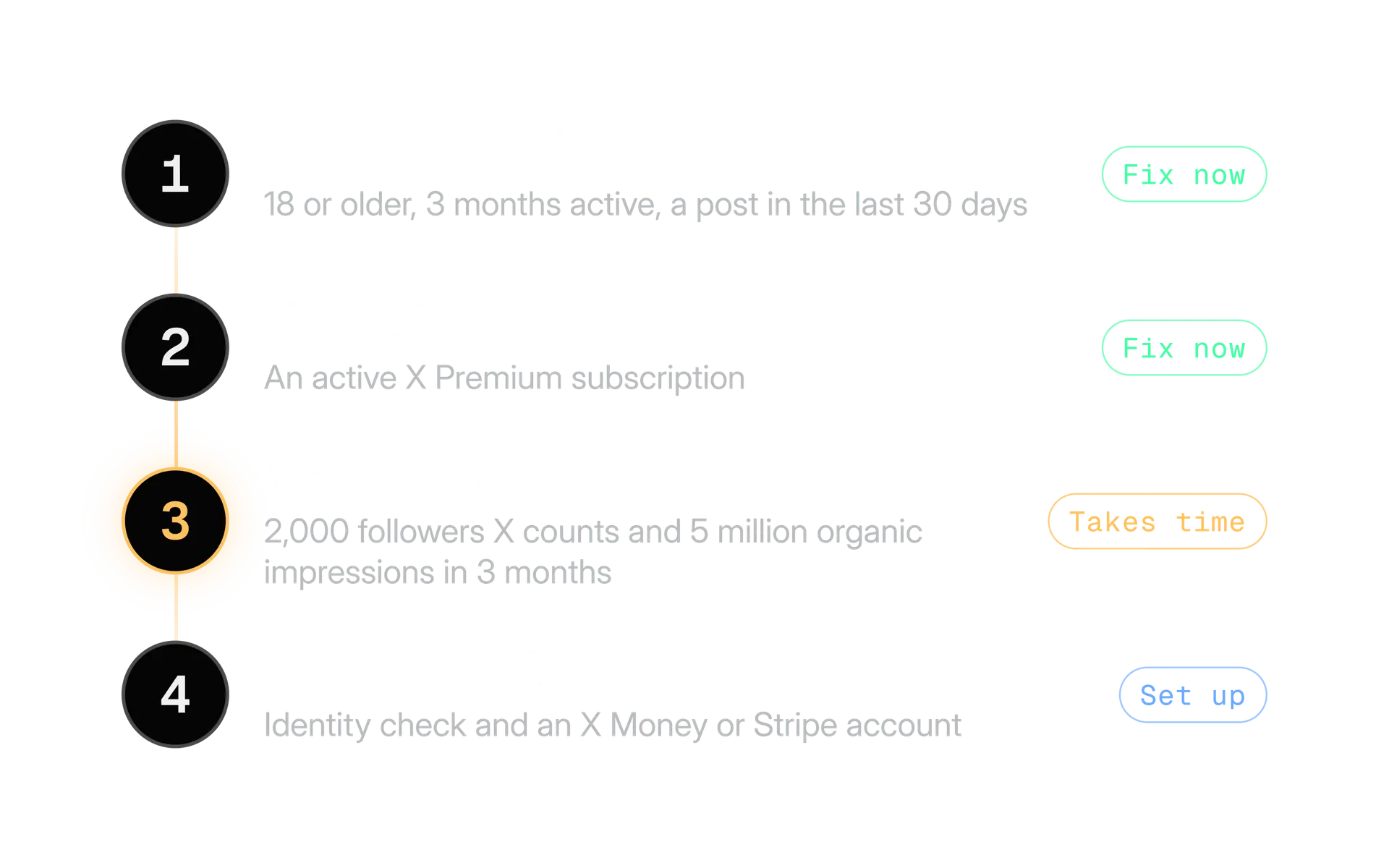
Here is what each of the other lines asks of you:
- A complete profile. An account name, a bio, a profile picture and a header image. Our guide to optimising your X profile covers all four, and the bio and handle checker tests the text.
- A verified email and two factor authentication. Our guide to securing your X account walks through both.
- A clean record. X lists no history of repeatedly breaking the user agreement or its monetisation standards.
- Your own identity. The account must not feature another person, brand or organisation, or use a fake identity.
- A payout route. You need to finish identity verification and connect an X Money or verified Stripe account.
- A supported country. X says you must live where its monetisation programmes are available.
To check, open Creator Studio and go to Subscriptions. X says your eligibility is shown there.
If you are far from 2,000 qualifying followers, the work is growth, not setup. Our guide to growing on X covers that, and our guide to using replies to grow is the quickest place to start.
How do subscribers pay, and how are creators paid?
A subscriber pays on the platform where they buy, and it renews every month. A creator is paid what is left after third party fees, because X says it takes no share of its own. Both halves are below.
What the subscriber does
Tap Subscribe on the profile
The button sits at the top right when the creator has an offer. Tapping it shows what is included.
Buy it
Billing is handled by the platform where the purchase is made, such as the web or an app.
Let it renew
X says subscriptions renew automatically, on or around the same date each month.
Cancel where you bought it
X says you manage or cancel on the platform of your original purchase. Uninstalling the app or deactivating your account does not cancel it.
The last step matters for you as a creator. Tell subscribers where the cancel option is, so they do not have to ask you.
What the creator receives
X says creators can earn up to about 97% of the gross revenue from Subscriptions. It says X does not take a revenue share. What comes off is third party payment processing or app store fees, plus cancellations and refunds.
That is why "up to" is in the sentence. The size of the fee depends on where each person bought, so two subscribers at the same price can leave you with different amounts.
| Question | What X says |
|---|---|
| Does X take a revenue share? | No. Creators can earn up to about 97% of gross. |
| What comes off? | Third party payment processing or app store fees, cancellations and refunds. |
| Can subscribers get a refund? | Subscriptions are not refundable unless the law requires it, including one cancelled or suspended mid cycle. |
| How are creators paid out? | Through Stripe, except for US creators, who have been paid through X Money since 2 September 2026. |
The payout change is recent. TechCrunch reported it on 2 September 2026 and quoted X: "Starting today, U.S. payouts for Original Content Rewards and Subscriptions will be paid through @XMoney." Creators outside the US stay on Stripe.
Numbers we left out, and why
Online guides quote subscription prices, payout minimums and payout timing. We found none of them on an X page we could read, and the guides disagree with one another. X also changed how US creators are paid on 2 September 2026, which makes older timing figures risky.
Read the price points in Creator Studio and the payout terms on X's Subscriptions Creator Terms before you plan around any number.
What do subscribers get: posts, threads, Spaces and badges?
Subscribers get four things from X: posts that only they see, locked parts of threads, live Spaces, and a badge when they reply. Which of them you use is up to you.
Home timeline
Subscriber only posts
X says subscribers see posts in their Home timeline that were posted exclusively for them, and can reply to them.
Since 5 March 2026
Exclusive Threads
You can lock any post in a thread for subscribers only. Everyone sees the public post, and X shows non subscribers a prompt to subscribe.
Live audio
Subscriber only Spaces
Subscribers can join a creator's subscriber only Space as a listener and request to speak.
On public posts
Reply limits and the badge
You can keep a post public but limit replies to subscribers. A badge beside a subscriber's name marks them when they reply.
The thread feature changes how you write. Here is the order of events for the same thread, seen by two people.
X's launch post described the idea as teasing in the parent post and monetising the rest. So the first post has to earn the click on its own, and the locked posts have to be worth paying for. Our guides to writing a thread and to first line hooks apply to the public post exactly as they do to any other.
On badges, X says a subscriber can hide theirs from replies to your public posts on iOS and Android. It still shows to other subscribers on subscriber only posts. Tell subscribers that, because some of them will assume a hidden badge is hidden everywhere.
What should you offer subscribers?
Offer one thing that people cannot get free and that you can deliver every week. A subscription renews monthly, so a quiet month is the one that costs you a subscriber. This part is our view, not X's rule.
We use three tests for any idea.
- Is it specific? "Exclusive content" tells a follower nothing. "One long breakdown every Friday" does.
- Can you repeat it? If it needs a long weekend of work, it will slip in week three.
- Is it more than the public posts? A subscriber should feel the difference, not a lock on an ordinary post.
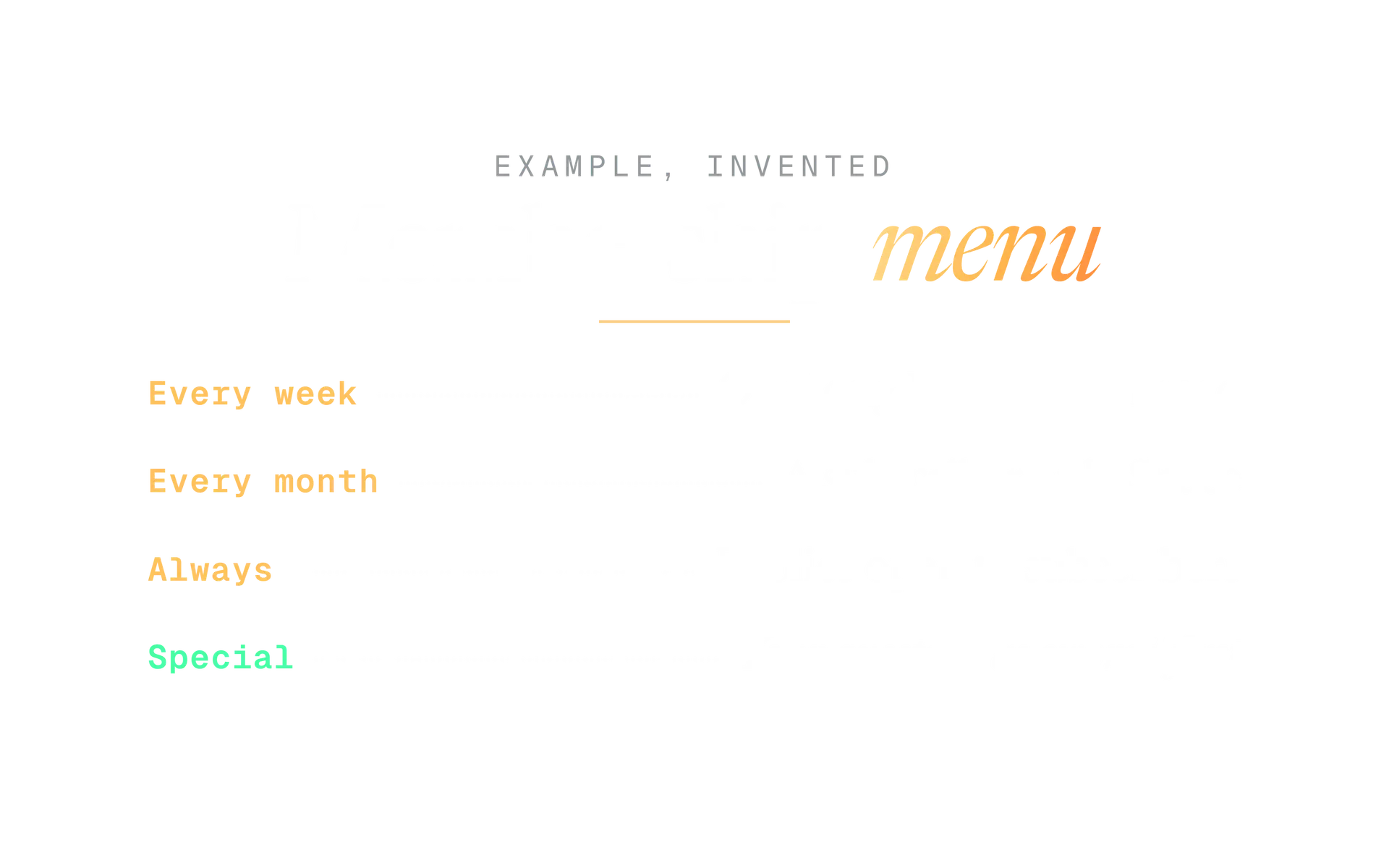
The menu above is an example of how little it takes. Four lines, each one something you can name and count.
Promise a rhythm you can keep
"A deep dive every Friday and one subscriber Space a month." A subscriber knows what a month holds.
Promise everything
"Exclusive content, behind the scenes, early access and more." Nobody can tell what they are paying for, and you have to deliver all of it.
Keep the thing that earns you followers public. Your best posts bring in the people who might subscribe. If you move all of them behind the lock, you hide the reason to pay.
Here is what a public teaser can look like. It is invented, and it follows the rule that the first post must work alone.
I rebuilt my weekly planning from scratch last month and kept only the part that mattered.
The full breakdown is below, for subscribers.
For ideas, our guide to finding content ideas for X gives you a system that keeps a weekly offer fed. To lay out a month of subscriber and public posts in one view, the free content calendar generator plans the slots, and you fill them.
What rules apply to Subscriptions?
Subscriptions sit on top of the X Rules. X says creators must follow its Subscriptions policy and its Creator Monetization Standards, and monetised content must follow the X Rules too.
| Rule | What it means for you |
|---|---|
| No fraud or deception | You must not mislead people into engaging with you or paying you, including about who receives the money. |
| Original or licensed | You may monetise only content that is original and authentic, or content you have the rights to monetise. |
| Follow the monetisation standards | They apply to all Subscriptions content, and they list content that cannot be monetised, such as drugs, tobacco, alcohol sales and gambling products. |
| Follow the X Rules | Monetised content must comply with the same safety, privacy and authenticity rules as any post. |
Our guide to X's rules for brands and creators covers each rulebook in plain words, including the monetisation rules, disclosure of paid deals and copyright. Read it before you launch, because X can act on a single post or on the whole account.
Two habits keep you safe:
- Describe the offer truthfully. What the subscriber is told they get must be what they get.
- Keep the account secure. A hijacked creator account that posts a scam to subscribers is the worst version of this problem.
A first 30 days plan
This plan is our suggestion, not X's. It spreads the work over a month so you meet the weekly rhythm before you promise it.
Before you apply
Check the gates
Open Creator Studio and read your status. Fix the gates you control: Premium, profile, email and two factor authentication.
Before you launch
Write the offer and bank three posts
Choose perks you can repeat, write the description, and finish three subscriber posts before the first subscriber arrives.
Launch day
Tell your audience once, clearly
Post what the subscription includes and where to cancel. Do not leave your best public posts for later.
Weeks 1 to 3
Keep the rhythm
Deliver what the menu says, on the days it says. Reply to subscribers first.
Day 30
Review honestly
Count subscribers, cancellations and what you could keep up. Change the offer if you could not. Do not change the promise to match a bad month.
Your checklist before you turn Subscriptions on
Run through this list once. If any line is a no, fix it before you apply.
Before you turn on X Subscriptions
- Creator Studio shows I meet the requirements, and I know that is not a guarantee.
- My Premium plan is active, and my profile is complete.
- Two factor authentication is on and my email is verified.
- My payout route is ready: identity checked, X Money or Stripe connected.
- I have read the price points and I am not promising an income to anyone.
- My offer is specific and I can deliver it every week.
- I have three subscriber posts finished before launch.
- Everything I will post is mine or I have the rights to monetise it.
- My audience knows where to cancel and that refunds are not offered unless the law requires them.
- My best public posts stay public.
If you are not ready on the reach numbers, the next job is not Subscriptions. It is the audience that makes them possible. Start with the guide to growing on X, come back when Creator Studio says you qualify, and read the X rules once more before you launch.
In the product
How Kairo Post does this
Everything above works by hand. Kairo Post does the same work for you, with your approval before anything goes out.
Questions people ask
Can I offer Subscriptions on a free X account?
Can I choose my own subscription price?
Does X take a cut of what subscribers pay?
Can subscribers get a refund?
Can a subscriber hide their badge?
How do I find out if I qualify?
Will Subscriptions make me money?
Sources
Every rule, limit and figure in this post was checked against these on the date shown.
- About Creator Subscriptions, X Help Center
help.x.com · checked
- About Subscriptions, X Help Center
help.x.com · checked
- Subscriptions policy, X Help Center
help.x.com · checked
- Creator Monetization Standards, X Help Center
help.x.com · checked
- About X Premium, X Help Center
help.x.com · checked
- Subscriptions Creator Terms, X legal
legal.x.com · checked
- Creator Subscriptions 2.0 announcement, X Creators on X
x.com · checked
- X Creators guide to Creator Subscriptions, X Creators on X
x.com · checked
- US creator payouts move from Stripe to X Money, TechCrunch
techcrunch.com · checked
- Exclusive Threads and Creator Subscriptions 2.0, Tubefilter
tubefilter.com · checked
- Premium requirement added to the monetisation standards, Open Terms Archive
opentermsarchive.org · checked
Written by